I Used the New Ace-Step 1.5 to Help Me Create a Synthwave Song:
Suno AI has been available to the public for almost 2 years now… it does an amazing job turning your musical ideas into reality, for a price. Yet there are those of use who cannot afford the $8/$10 USD a month to “achieve their dreams”. And there are still those (as in almost ALL of my coworkers in the film industry) who are vehemently opposed to using AI for media creativity of any kind. Well, after my recent trip to China, I can truly say the genie is out of the bag and our goose is pretty much cooked without AI. So out comes Ace-Step 1.5… a free open-source alternative for Suno that can run perfectly fine on a 16GB VRAM.
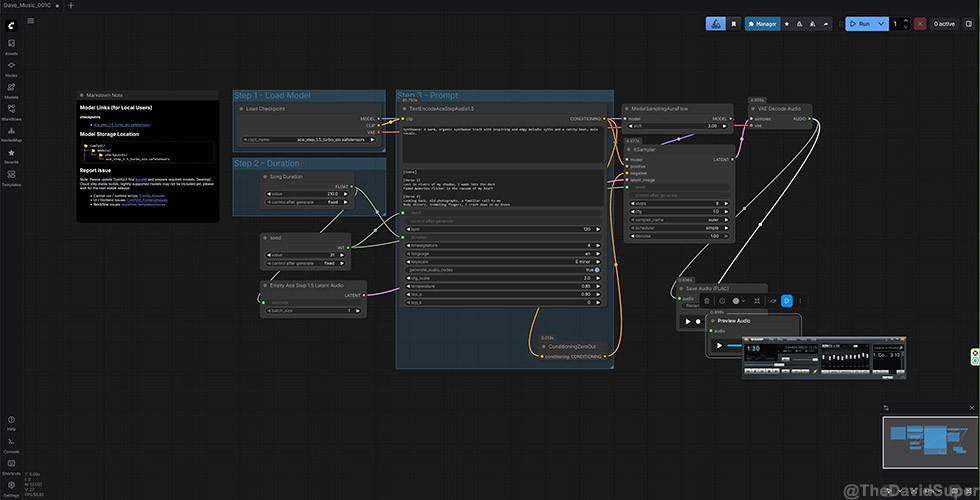
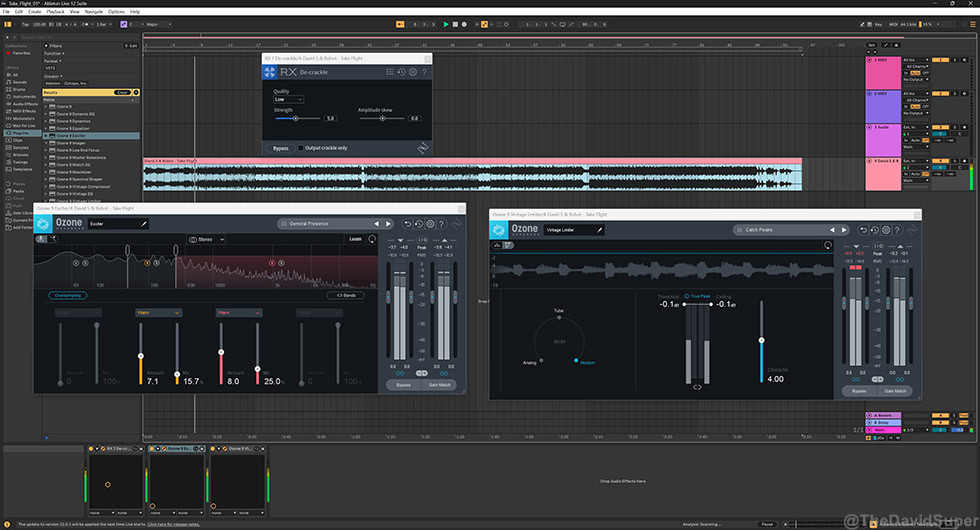
Ace-Step 1.5 can run natively/offline on your PC and you don’t need a paid subscription for commercial use or to do more than 10 songs a day. To use its full LM model, you will need 24GB VRAM but I find my GeForce RTX 5060 Ti 16GB running their mid-sized models is more than enough to do a great job generating the songs that I want at a relatively fast speed (12GB would be ok). I tried both the standalone and ComfyUI versions and had a ton of hilarious fun making songs out of my lyrics and settings. I did end up with a proper synthwave song that I named Take Flight; that I was happy enough to upload to YouTube (above). I did minimal editing on it with Ableton so you can hear the actual quality of the end result.
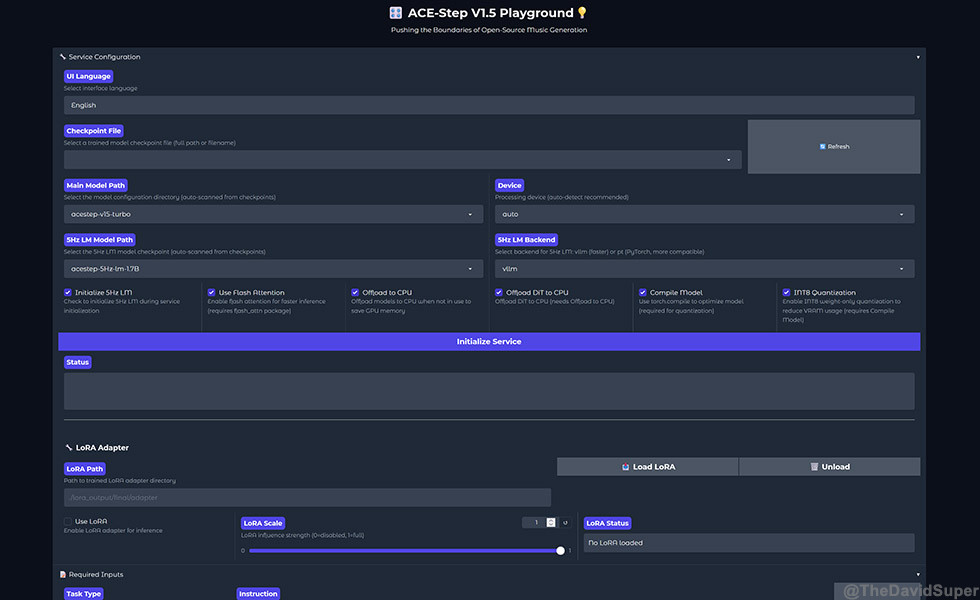
I’m not sure about the comparisons that are out there claiming Ace-Step 1.5 as the new “Suno killer”… the audio and creativity is there but I can still hear minor choppy vocals and the richness of the instruments/mixing is not as good as something I would get out of Suno. I’ve just started using Ace-Step so there’s a chance I’m not using it to its full capabilities just yet so I will withhold my judgement. Still, the songs generated are genuinely beautiful to listen to as the creative aspect of this foundation model is on par with Suno. Perhaps the “fit & finish” aspects will improve as I get more familiar with using it.
Overall, if you want to save the money then Ace-Step 1.5 is for definitely for you. You can use the music generated commercially and if you are technically skilled enough, you can train LoRAs to generate stems as well as incorporate your own cloned vocals into the model. Personally, I think being able to use your custom vocals would be also but the separate stems idea seems to be very difficult to implement (even Suno Pro versions export stems that sound different from the whole song). So yeah, download it NOW and start having some fun… look, you’re getting to use it for FREE so no excuses on now investing your hard-earned money on a proper PC to run it.